






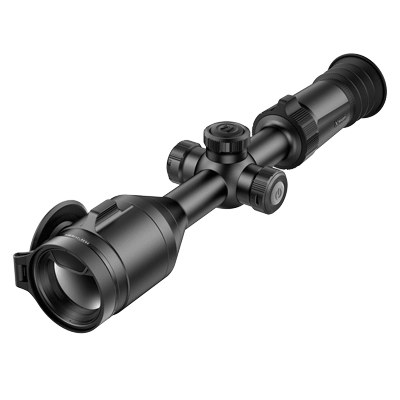
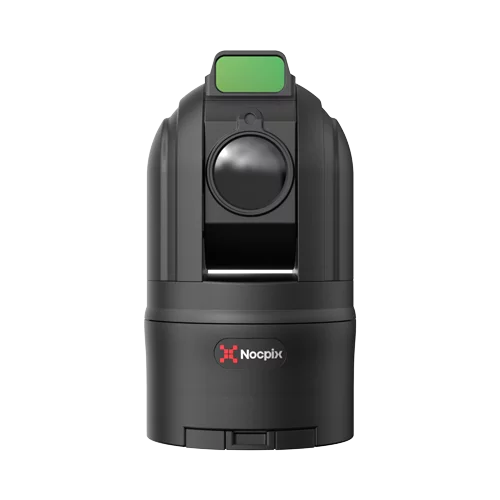
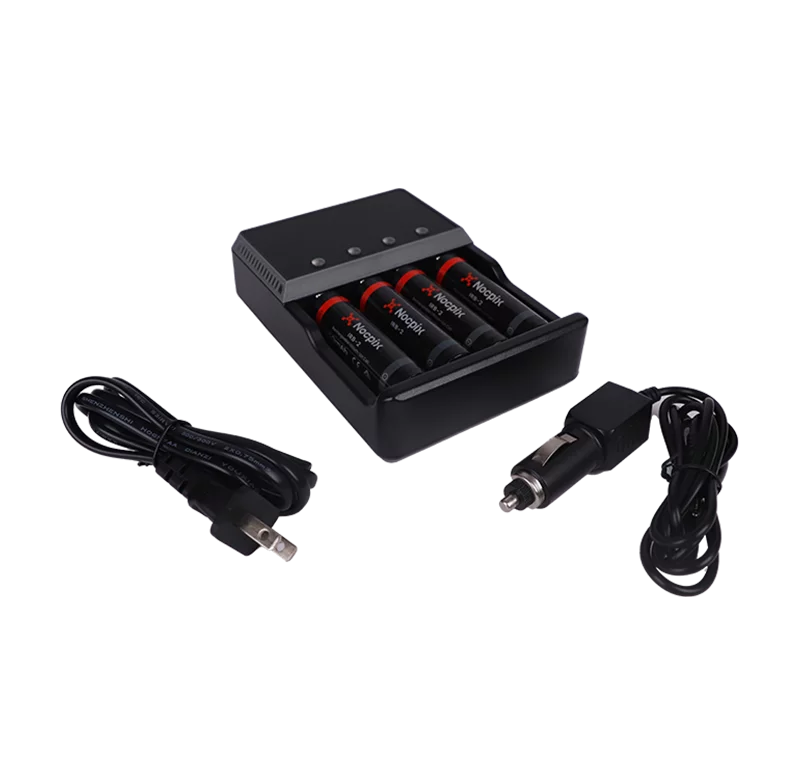


A thermal scope can show heat in the dark, but the scope alone does not make a complete field setup. Batteries die. Mounts shift. Lenses get wet or dusty. Cables snag. A setup that felt fine at home can feel clumsy once the hunt gets long, cold, or rushed.
This guide covers the essential thermal scope accessories worth considering first, including battery packs, external batteries, chargers, mounts, lens care, field tools, and app support.
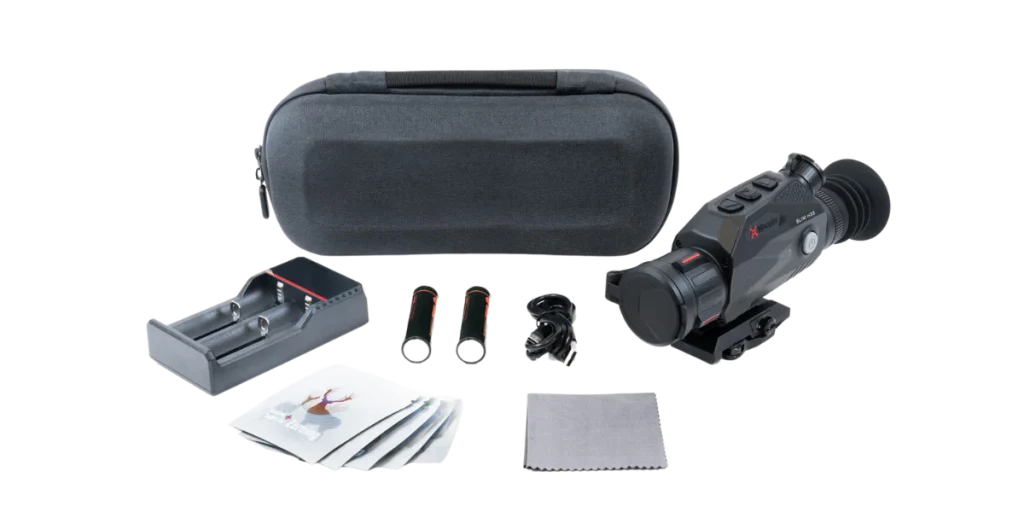
Quick Answer: The Essential Thermal Scope Accessories Worth Buying First
For most thermal scope owners, the first accessories to consider are a reliable power setup, compatible mounting hardware, lens protection, cleaning gear, and a practical field kit for night hunting. Start with the items that prevent the hunt from ending early or the rifle from losing zero.
Use this table as a buying order, not a rule for every setup.
| Field problem | Accessory to consider | Why it helps | Check before buying |
|---|---|---|---|
| Battery running low | Spare replaceable batteries, battery pack, external battery, charger | Extends field time and reduces mid-hunt swaps | Battery type, voltage, port, charger, temperature rating |
| Mount shifting | Compatible rail, fixed mount, QD mount, rings, or model-specific mount | Helps protect the zero and rifle handling | Rail type, mount footprint, eye relief, recoil support |
| Dirty or exposed lens | Lens cap, lens cloth, lens-safe cleaning kit | Keeps the image clearer and protects coatings | Use optic-safe tools only |
| Wet or dusty field use | Protective case, weather-ready pouch, spare cable storage | Keeps accessories organized and less exposed | Weather rating, padding, cable fit |
| Scanning with the rifle | Thermal monocular or binocular | Reduces the need to scan with a rifle-mounted optic | Battery plan and role in the hunt |
| Setup, updates, and files | App, data cable, charging cable, storage workflow | Helps with setup, recording, transfer, and updates where supported | Device support, phone OS, cable type |
The highest-value accessory is usually the one that protects the weakest part of your setup. If the scope already has a good mount but short battery life, power comes first. If the runtime is fine but the optic sits too high or shifts after recoil, mounting hardware deserves attention before anything else.
Start With Power: Batteries, External Battery Packs, and Chargers
Power is usually the first upgrade because every other feature depends on it. Image quality, recording, rangefinding, app connection, and display brightness are all useless if the scope shuts down before the hunt is over.
Why is runtime usually the first real upgrade
Thermal scopes draw power continuously. The display is always active, the sensor is processing heat signatures, and many models also support recording, WiFi, LRF use, or app connection. Cold weather can reduce battery performance, and long periods of scanning can drain a setup faster than expected.
That does not mean every hunter needs the largest thermal scope power pack available. A short evening stand may only need one spare battery. A long winter watch over open ground may need a dedicated pack, extra cells, and a plan for keeping spares warm.
The practical question is: how long does the optic need to stay active, and how easy is it to swap or charge power in the dark?
Battery pack vs external battery vs spare replaceable batteries
These power accessories are often grouped together, but they are not the same.
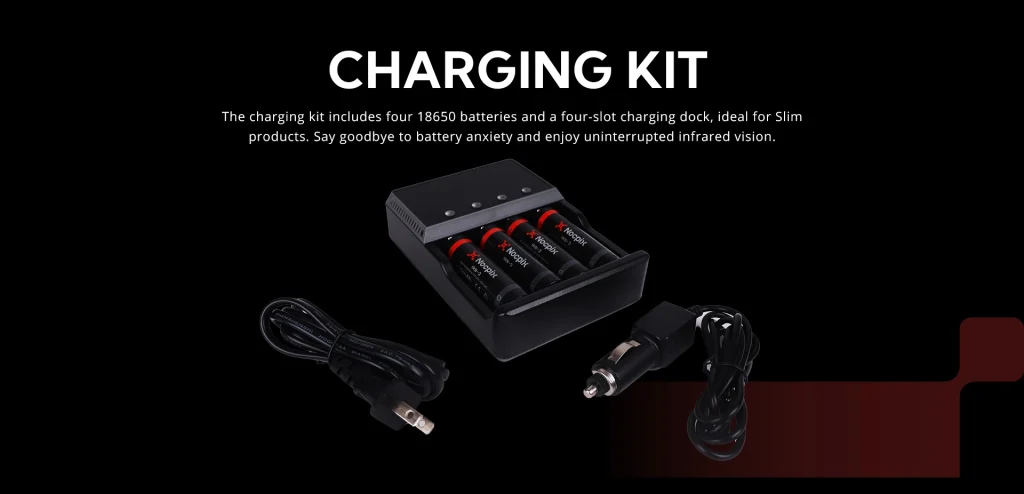
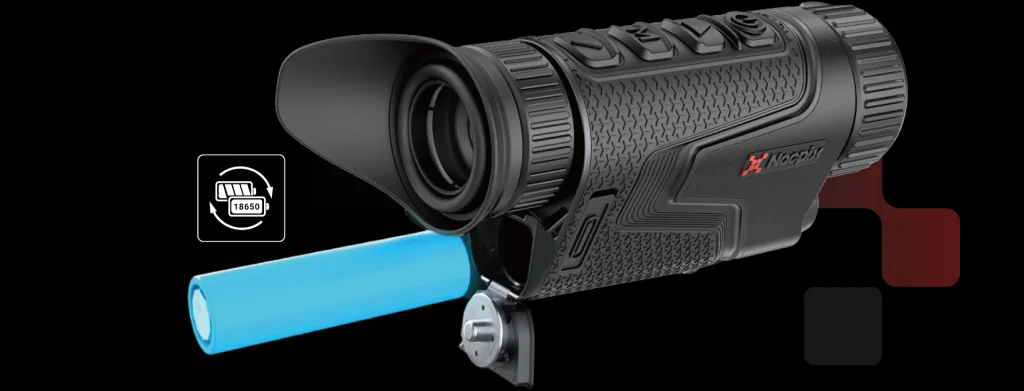
- Spare replaceable batteries: These are useful when the optic accepts cells such as 18650 batteries. They are compact and easy to carry, but the exact battery type and charger must match the device.
- Dedicated battery pack: This is usually the cleanest choice when the pack is made for a specific device or series. It reduces guesswork around voltage, fit, and charging.
- External battery or USB power bank: This can work for some devices, but only when the voltage, output, cable, connector, and weather exposure are correct.
- Rail-mounted power pack: This can extend runtime for rifle use, but it adds weight and cable routing questions.
Before buying any thermal scope external battery, check the official device information for power input, connector type, and charging support. The wrong output or connector can create more trouble than it solves.
For model-specific power options, the Batteries & Charging collection is the most relevant starting point because it groups charging kits, replaceable batteries, and dedicated battery options in one category.
Cold-weather power checks
Cold weather changes battery behavior. A battery that seems fine at home may drain faster in freezing temperatures, especially if the screen brightness is high or the optic is recording.
Use a simple cold-weather routine:
- Keep spare cells in an inner pocket until needed.
- Check whether the battery or pack has a listed low-temperature rating.
- Protect charging ports and cable ends from moisture.
- Avoid cable paths that can be pulled by gloves, brush, slings, or rifle movement.
- Test the setup outside before relying on it for a long hunt.
If a battery pack is mounted on the rifle, check the balance with gloves and winter clothing. Extra power is helpful only if the rifle still handles cleanly.
Power examples by device type
Different product lines use different power approaches, which is exactly why compatibility checks matter.
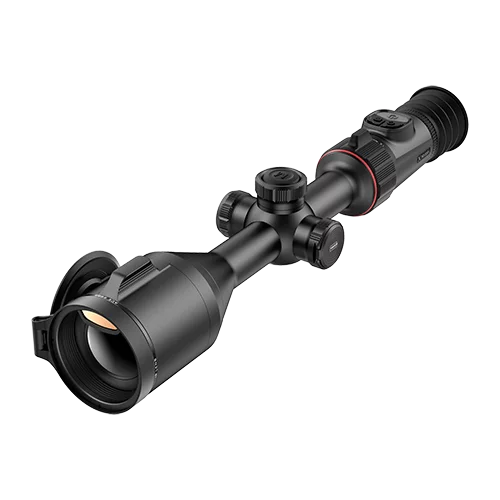
BOLT is a thermal riflescope example with a built-in 5000mAh battery plus a replaceable 18650 battery, giving the line a total capacity of 9000mAh and up to 12 hours of use. That kind of dual-battery setup can be useful for hunters who want internal power plus field-swappable backup.
ACE also uses a dual-battery layout, with a 4000mAh built-in battery and an additional replaceable 18650 battery. For long sessions, that means the accessory plan should include the correct spare cells and charging routine rather than a random power bank.
SLIM is different again. It is a 2-in-1 handheld and riflescope design with a replaceable 18650 battery and magnetic charging port. Regional configurations can differ, so mount and power details should be checked with the local distributor.
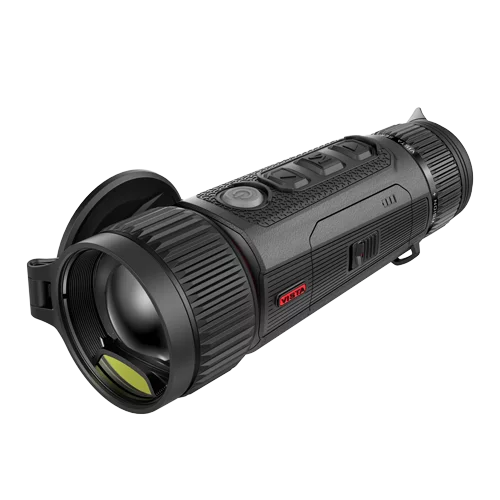
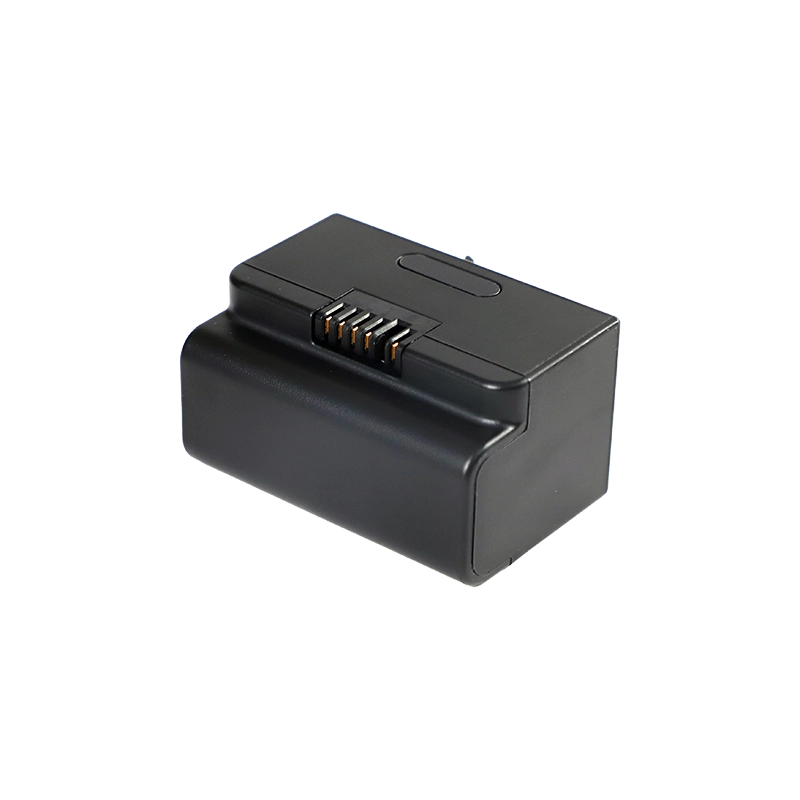
VISTA uses a more dedicated path. The BATTERY PACK – IBP-7/4400mAh is designed for the entire VISTA monocular series. It can be charged in the device or through USB, and it retains 90% efficiency at temperatures as low as -20°C.
For models that rely on replaceable cells, a Charging Kit may be a cleaner accessory than a generic charger. The buyer still needs to match the kit to the exact device and region.
Mounting Hardware That Protects Zero, Balance, and Handling
Mounting hardware is not only a way to attach the optic. It affects zero, head position, recoil handling, and how the rifle feels after accessories are added.
Match the rail, footprint, and mount type
Most rifle-mounted thermal setups use some form of rail, but “rail mount” is not specific enough. Picatinny and Weaver rails look similar, but slot dimensions and spacing can differ. Some optics use a one-piece mount. Others need rings, a shoe, or a model-specific adapter.
Before buying, identify:
- The rifle rail or base.
- The optic’s mounting interface.
- The mount height.
- The clamp style.
- Any model-specific adapter.
- Whether the mount is rated for firearm recoil.
For rails or mounting accessories, Mounts & Hardware is the better starting point before confirming model fit through official model information, a dealer, or support.
Use QD mounts only when repeatability matters
Quick-detach mounts are useful when the optic needs to move between rifles, come off for transport, or be removed after a hunt. They are not automatically better than fixed mounts.
A fixed mount can be the better choice for a dedicated night rifle. It has fewer moving parts and can stay set up through the season. A QD mount is best when removal is part of the workflow.
Either way, the mount has to be checked after installation. A QD mount should be treated as repeatable only after the rifle confirms it on target.
If the mount, rifle, or optic changes, use a proper zeroing workflow before hunting. The guide on how to sight in a thermal scope covers the basic process.
Check eye relief, height, balance, and cable routing
A thermal scope may have a display, eyepiece, battery compartment, buttons, focus control, and LRF module in places that differ from a day scope. The mount should leave those parts usable.
Check the rifle from field positions, not only from a bench. The full display should be visible without lifting the head off the stock. The optic should not sit so far back that recoil becomes uncomfortable. If the setup uses an external battery, the cable should not cross the action, controls, bolt handle, or sling path.
Follow the manufacturer’s torque and installation guidance
Do not guess torque values. Follow the optic and mount manufacturer’s instructions. Over-tightening can damage parts. Under-tightening can let the optic move.
After mounting, zero the rifle again. A thermal scope setup is not ready because it looks centered on the rail. It is ready only after the rifle confirms the point of impact.
Protection, Cleaning, and Storage Accessories
Thermal optics are field tools, but the lens and housing still need protection. Dust, mud, rain, brush, vehicle transport, and glove handling can all create small problems that build up during a hunt.
Lens caps, covers, and lens-safe cleaning tools
Lens caps and covers protect the objective lens when the optic is not in use. A microfiber cloth and lens-safe cleaning tool help remove dust, fingerprints, and moisture without scratching coatings.
Avoid random shirt fabric, paper towels, harsh chemicals, or aggressive rubbing. If the lens is gritty, blow or brush loose debris away before wiping. A thermal image can look worse simply because the lens is dirty.
Lens care is only one part of image quality. If the image still looks soft after cleaning, the guide on how to improve thermal scope performance explains focus, FFC, and settings checks.
Protective cases, padded bags, and small-parts storage
A padded case or bag helps protect the optic during transport. It also gives a place for batteries, cables, lens cloths, caps, and small tools.
Small-parts storage is more useful than it sounds. A spare battery does not help if it is buried loose in a pack. A charging cable does not help if the connector is packed with dirt.
Use a layout that can be managed by feel. At night, a simple pouch system often beats a deep pocket full of loose gear.
Rain, dust, humidity, and cable protection
Thermal optics often carry weather-resistance ratings, but accessories may not have the same protection. Cases, cables, chargers, and battery packs still need care.
For wet or dusty hunts, consider:
- A weather-ready pouch for spare batteries.
- Cable caps or protected cable storage.
- Desiccant in the storage case for humid areas.
- A dry cloth for the optic body.
- A simple routine for drying gear after the hunt.
If the product is IP-rated, use that rating correctly. IP67 rated does not mean the device should be treated as indestructible.
Thermal Hunting Accessories That Improve the Whole Night Setup
Thermal hunting accessories go beyond the scope itself. The goal is to build a setup that lets the hunter scan safely, manage gear in darkness, and keep the rifle reserved for aiming rather than constant searching.
Always follow local hunting laws, firearm rules, night-vision or thermal-device restrictions, and land-use rules before heading out.
Scanner-plus-scope workflow
A rifle-mounted thermal scope is built for aiming. It is not the best tool for constant scanning. Sweeping a rifle around to search for movement is tiring and can create unsafe habits.
A handheld scanner, thermal monocular, or thermal binocular can fill that role. The scanner finds heat and tracks movement. The rifle-mounted scope is used when it is time to identify and aim from a safe position.
If the choice is between a one-eye scanner and a two-eye observation device, the monocular vs binocular guide explains how those formats differ in field use.
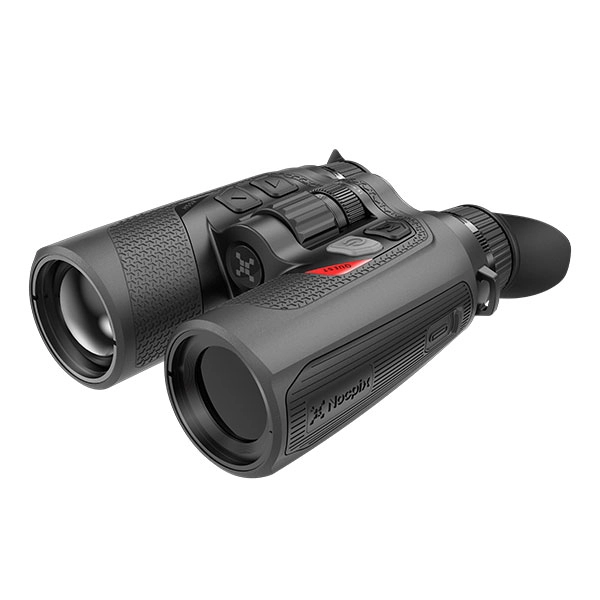
In that role, thermal monoculars can cover quick one-eye scanning, while thermal binoculars can support longer two-eye observation. Models such as VISTA, LUMI, and QUEST fit the scanning side of the setup, while the rifle-mounted scope stays reserved for aiming.
The battery plan should include both devices. A scanner used for hours can drain faster than expected, especially if the display stays active.
Headlamp, flashlight, multi-tool, and field support gear
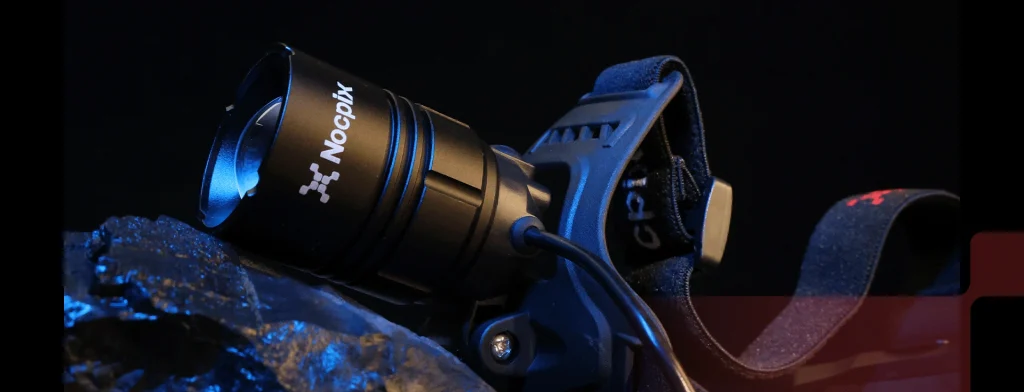
A headlamp or flashlight is useful for admin tasks: loading a pack, checking a gate, finding a dropped cap, changing batteries, or walking back safely. It does not help the thermal image, and it should be used with care around game and other hunters.
A pocket multi-tool can help with small gear adjustments, but it should not replace the correct torque tool for mounting hardware. Use the multi-tool for field management, not for guessing on optic screws.
Other useful field items include:
- A stable rest or shooting support.
- A sling that works with the optic and battery setup.
- A small dry bag for electronics.
- Gloves that still allow button control.
- A lens cloth is stored where it stays clean.
IR illumination caveat for thermal users
IR illuminators do not improve thermal scope imaging. Thermal devices detect heat. They do not need reflected infrared light to create the image.
IR illumination can be useful for digital night vision or mixed optic kits. That is why an accessory category may include IR illumination near thermal and night-vision gear. The buyer should check the device type before buying an illuminator. If the optic is a thermal scope only, an IR illuminator is not a thermal-performance upgrade.
For a deeper breakdown of the difference between thermal, night vision, and infrared devices, see Night Vision vs Thermal vs Infrared.
App, Recording, and Data Accessories
Modern thermal optics often include recording, app connection, file transfer, firmware updates, or device setup tools. These features add value only when the cables, phone app, storage workflow, and field routine are ready before the hunt.
App support, firmware, and device setup
Check whether the optic supports app connection and what the app is used for. Some devices may support live viewing, file transfer, settings, or updates, while others may use the app more narrowly.
The Nocpix APP supports Android and iOS download paths and account registration. Where supported by the device, app functions may include WiFi live streaming, recording, playback, and firmware updates.
Do not rely on app pairing as the only way to use the optic. A hunting setup should still be manageable from the device controls if the phone battery dies or the app connection is unavailable.
Recording, playback, cables, and storage workflow
Recording is useful for reviewing a hunt, checking a shot, or saving field footage. It also adds power and file-management demands.
Before the hunt, check:
- Whether recording is enabled.
- How files are stored.
- Whether the device has enough storage.
- Which cable is needed for transfer or charging?
- Whether the cable can be found quickly in the dark.
Keep charging and data cables separate if they look similar but serve different functions. Labeling them can save time later.
Build Your Accessory Kit by Hunting Scenario
The right accessory kit depends on hunt length, weather, movement, and how many thermal devices are used. A short coyote stand and an all-night property watch should not be packed the same way.
Short evening hunt
For a short hunt, keep the kit light. A spare battery, lens cloth, protective cap, and simple field light may be enough if the scope is already mounted and zeroed.
This setup works best when the optic has known battery life, the rifle is dedicated to the thermal scope, and the weather is mild.
All-night stand or long property watch
Longer hunts need a larger power plan. That may mean a dedicated battery pack, extra replaceable cells, a charger, and a way to keep spares protected from cold and moisture.
A scanner or binoculars can also help if the hunter needs to watch a wide area for hours. The more devices in the kit, the more important battery labeling and cable organization become.
Cold-weather hunt
Cold-weather hunts call for warm spare batteries, protected cables, and gloves-friendly organization. Keep spare cells close to the body until needed.
If the device supports a dedicated low-temperature battery or pack, that is often better than guessing with a generic option. Test the setup outside before relying on it.
Rifle-only minimalist setup
A minimalist rifle-only setup should remove anything that does not help the shot process. Choose a secure mount, carry one reliable spare battery, protect the lens, and avoid loose cables if the optic has enough internal power.
This style works well for hunters who walk more and want fewer items hanging from the rifle.
Scope-plus-scanner team setup
A scope-plus-scanner setup is better for hunters who need to search wide areas. The scanner handles movement and detection. The rifle-mounted scope handles aiming once the shot is safe and legal.
This kit should include power for both devices, a storage plan for both, and a habit of checking both before leaving the vehicle.
Compatibility Checklist Before Buying Any Thermal Scope Accessory
Before buying any thermal scope accessory, check the exact device model, region, power system, mount interface, and field conditions. Accessories are not universal simply because they appear in the same category.
Device model, region, and version
Start with the exact model name. Then check the region or version when configurations differ by market. An accessory that fits one version may not fit another.
Regional availability can differ between the global site and local market. The safest route is to confirm with the local dealer or support channel.
Battery, voltage, port, cable, and charger fit
For power accessories, confirm:
- Battery type.
- Voltage and output.
- mAh capacity.
- Connector and cable shape.
- Charging method.
- Weather exposure.
- Temperature rating.
- Whether the device supports external power during use.
Do not force a generic external battery into a setup without checking those details.
Rail, mount, eye relief, recoil, and balance fit
For mounting accessories, confirm the rifle rail, optic interface, mount height, eye relief, and recoil support. A mount that clamps to the rail can still be wrong if the optic sits too far back, blocks controls, or changes balance too much.
If the accessory mounts to the rifle, check it with the same sling, battery, and shooting support used in the field.
Weather, temperature, warranty, and legal checks
Check weather ratings and operating temperature for the accessory, not only the scope. Cables, battery packs, chargers, and cases can be weak points.
Also, check warranty and support rules before using third-party accessories. Some brands may limit support if damage comes from unsupported power or mounting hardware.
Finally, check local laws. Thermal optics, night hunting, artificial light, firearm use, and public-land rules vary by location.
Final Thought
The best accessory kit is built around the hunt, not around a shelf full of gear. Start with the failure points that can end the night early: power, mounting stability, lens protection, and field workflow.
After those are covered, add recording, app support, storage, and specialty items only when they fit the device and the way it will be used.
To compare compatible batteries, charging kits, mounts, and field gear in one place, start with Thermal Scope Accessories, then confirm the exact fit for the model before buying.
Frequently Asked Questions About Thermal Scope Accessories
What are the most essential thermal scope accessories?
The most essential thermal scope accessories are a compatible power setup, secure mounting hardware, lens protection, cleaning tools, and organized storage. For night hunting, a handheld scanner, field light, and spare cables may also help.
Do I need an external battery pack for a thermal scope?
You need an external battery pack only if the scope supports it and the hunt length demands more runtime. Some scopes work better with spare replaceable batteries or a dedicated brand battery pack instead.
Can I use a regular USB power bank with a thermal scope?
Sometimes, but only if the optic supports external power and the output, cable, connector, and weather setup are correct. Check the manual or manufacturer guidance before using a generic power bank.
Do IR illuminators help thermal scopes?
No. IR illuminators do not improve thermal scope imaging because thermal devices detect heat rather than reflected infrared light. IR illumination may help digital night vision or mixed optic kits.
What mount should I use for a thermal scope?
Use the mount type specified for the optic and rifle. Check the rail, mounting interface, height, eye relief, recoil support, and access to controls before choosing fixed, QD, cantilever, rings, or model-specific hardware.